Yellow Flower
Yellow Flower
Yellow Flower

Role

Role

Senior User Experience Designer

Senior User Experience Designer

Timeline

Timeline

Summer 2024

Summer 2024

Tools

Tools

Figma, Figjam, Jira,

Figma, Figjam, Jira,

Overview

Monthly Rate Adjustment is one of the most critical systems in the company. It governs how rates are created, updated, and maintained for every client, across every service we offer. Rates change constantly, contracts are amended, promotions are applied, and compliance status shifts, while making precision and speed essential.

This project involved designing a new internal application to replace a legacy process that had become a significant operational bottleneck.

The Problem

The existing system technically functioned, but only through workarounds and institutional knowledge.

Key limitations included:

  • No way to edit existing rate tables

  • No support for bundled services or promotional pricing

  • Thousands of rate tables with no sorting or filtering

  • Manual handling of client compliance states

Simple updates required deleting and recreating entire tables, forcing users to sift through more than 10,000 records to make minor changes. The result was days of avoidable work each month and increased risk in a highly sensitive process.

Goals & Requirements

The objective was to design a system that allowed specialized users to confidently manage thousands of rate tables without friction.

Primary requirements:

  • Add, edit, and refine rates without rework

  • Powerful search, filtering, and sorting

  • Support for bundled pricing and promotions

  • Clear handling of compliance-based pricing logic

  • Real-time updates with immediate database insertion

With each client averaging four to five rate tables, even small usability gains would compound into significant time savings.

Discovery & Research

I spent time shadowing internal users and gathering direct feedback through surveys and working sessions. This revealed not only pain points, but also how users mentally grouped rates, services, and compliance rules while working.

These insights informed both the workflow and the information hierarchy, ensuring the system aligned with real usage rather than legacy data structures.

Real-World Impact

Real-World Impact

This project focused on practical improvements that compounded quickly for a highly specialized team.
75%

75%

75%

75%

reduction in time spent on monthly rate updates

reduction in time spent on monthly rate updates

reduction in time spent on monthly rate updates

reduction in time spent on monthly rate updates

200+

200+

200+

200+

hours saved every month by eliminating manual processes through creating simplified workflow

hours saved every month by eliminating manual processes through creating simplified workflow

hours saved every month by eliminating manual processes through creating simplified workflow

hours saved every month by eliminating manual processes through creating simplified workflow

0 Hours

0 Hours

0 Hours

0 Hours

Multiple previously manual processes no longer require any manual intervention at all

Multiple previously manual processes no longer require any manual intervention at all

Multiple previously manual processes no longer require any manual intervention at all

Multiple previously manual processes no longer require any manual intervention at all

Designing the Workflow

Designing the Workflow

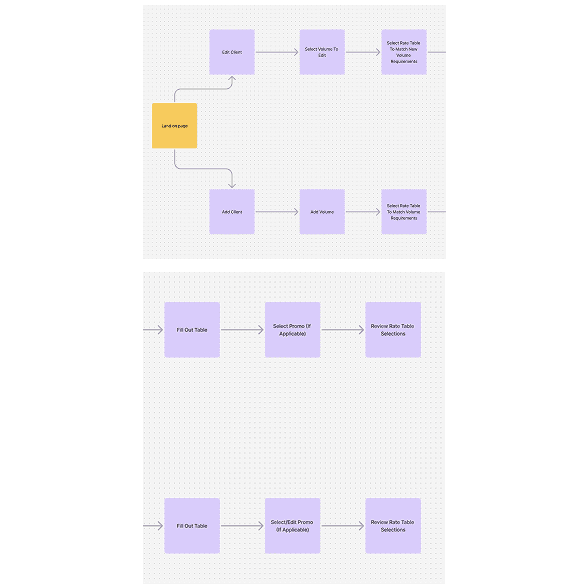
The initial focus was on restructuring how users move through rate management tasks without forcing them into rigid paths. Early exploration centered on reducing unnecessary decision points and removing artificial separation between adding and editing data. The final workflow prioritizes the most common actions first, while allowing users to move fluidly between steps without losing context. This approach ensured the system supported real operational behavior rather than enforcing a linear process that broke down under edge cases.

The initial focus was on restructuring how users move through rate management tasks without forcing them into rigid paths. Early exploration centered on reducing unnecessary decision points and removing artificial separation between adding and editing data. The final workflow prioritizes the most common actions first, while allowing users to move fluidly between steps without losing context. This approach ensured the system supported real operational behavior rather than enforcing a linear process that broke down under edge cases.

A streamlined workflow that reflects how rate updates are performed in practice.
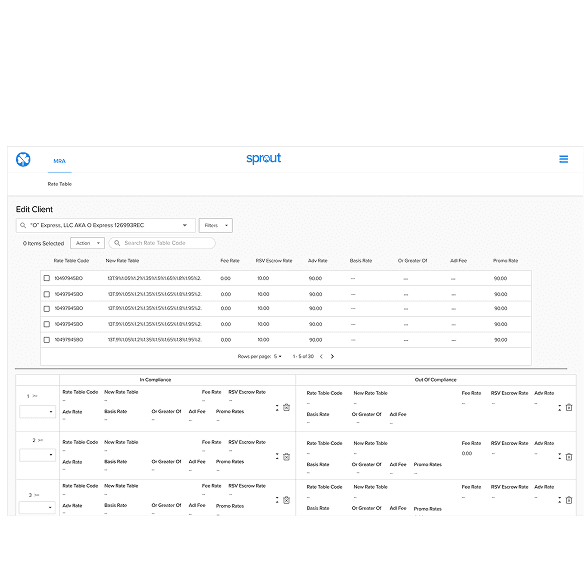
Layout exploration focused on clarity, density, and real-world data volume.

Layout exploration focused on clarity, density, and real-world data volume.

Wireframes & Iteration

Wireframes & Iteration

Wireframes were used to explore multiple layout strategies, including table-first, card-based, and hybrid approaches. Each option tested different ways of handling dense data while maintaining clarity and scanability. These explorations helped surface tradeoffs early and provided a shared artifact for alignment with product, engineering, and users. Through iterative feedback, the direction evolved into a layout that balanced flexibility with predictability, without overwhelming users managing thousands of records.

Wireframes were used to explore multiple layout strategies, including table-first, card-based, and hybrid approaches. Each option tested different ways of handling dense data while maintaining clarity and scanability. These explorations helped surface tradeoffs early and provided a shared artifact for alignment with product, engineering, and users. Through iterative feedback, the direction evolved into a layout that balanced flexibility with predictability, without overwhelming users managing thousands of records.

Final Design

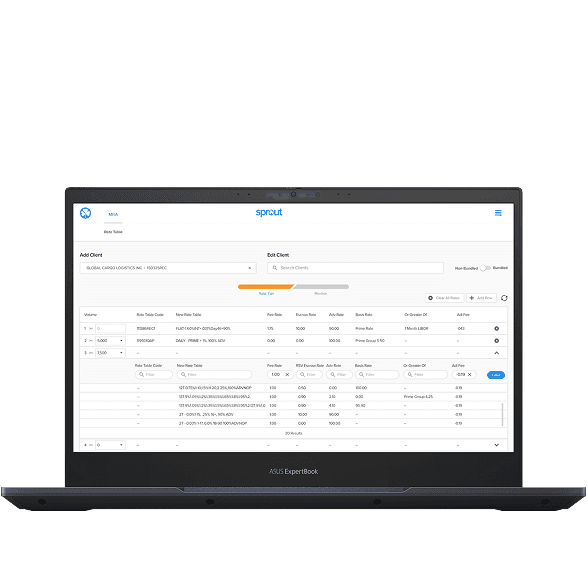
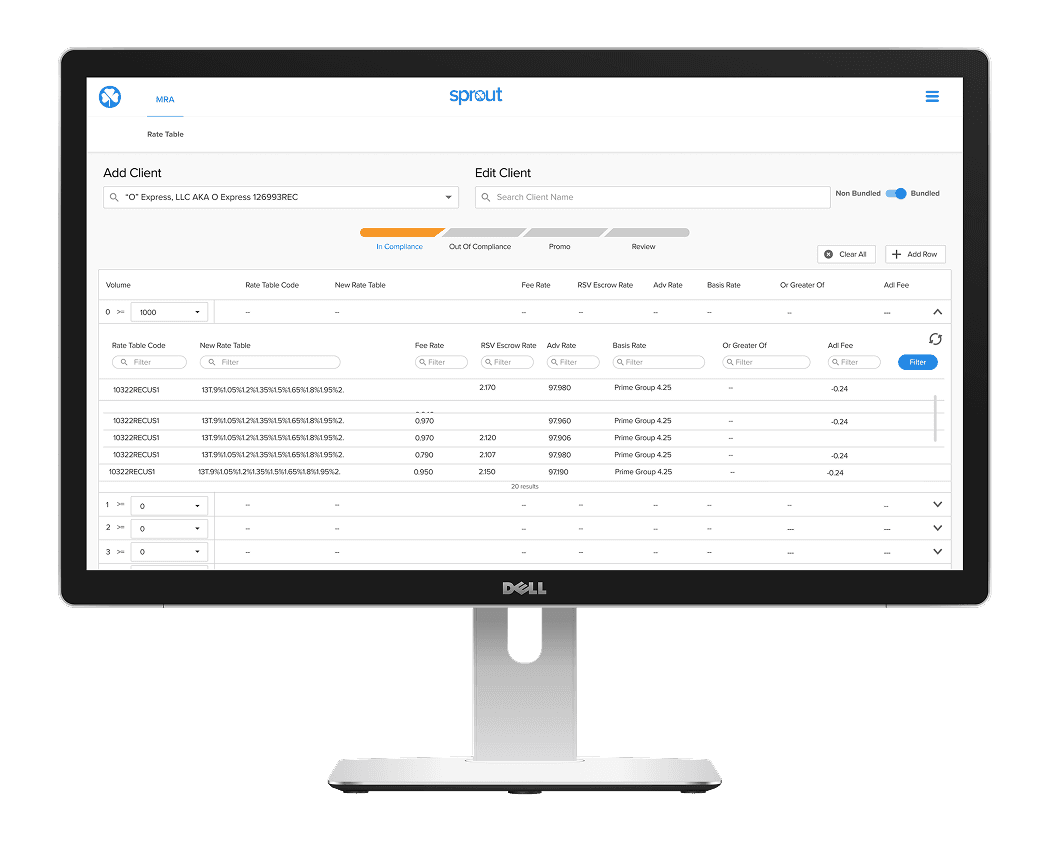
The final designs support complex workflows and multiple system states while remaining easy to orient and efficient to use. Visual hierarchy and spacing were carefully applied to guide attention, surface primary actions, and reduce cognitive load during repetitive tasks. A comprehensive set of screens and interactive prototypes ensured alignment during development and allowed for real-time validation with users. The result is a system that feels structured without being restrictive.

Final Design

The final designs support complex workflows and multiple system states while remaining easy to orient and efficient to use. Visual hierarchy and spacing were carefully applied to guide attention, surface primary actions, and reduce cognitive load during repetitive tasks. A comprehensive set of screens and interactive prototypes ensured alignment during development and allowed for real-time validation with users. The result is a system that feels structured without being restrictive.

Final designs emphasizing hierarchy, orientation, and repeatable patterns.

Final Takeaways

Designing systems that support critical business operations requires more than clean interfaces; it demands a deep understanding of how work actually gets done. This project reinforced the importance of grounding design decisions in real user behavior, especially when complexity and scale are unavoidable. The strongest outcomes came from simplifying workflows without oversimplifying the problem, allowing the system to remain flexible while protecting its most sensitive data.


Design Considerations
Designing for Specialized Users

This system is used by a small, highly specialized team responsible for one of the most sensitive operational processes in the company. The interface needed to support speed and accuracy without relying on training or tribal knowledge. Design decisions consistently favored clarity, predictable behavior, and guardrails that reduced the chance of costly mistakes. Rather than simplifying the problem, the goal was to make complexity manageable and visible in the right moments.

Designing for Specialized Users

This system is used by a small, highly specialized team responsible for one of the most sensitive operational processes in the company. The interface needed to support speed and accuracy without relying on training or tribal knowledge. Design decisions consistently favored clarity, predictable behavior, and guardrails that reduced the chance of costly mistakes. Rather than simplifying the problem, the goal was to make complexity manageable and visible in the right moments.

Designing for Specialized Users

Balancing Flexibility with Control

Balancing Flexibility with Control

Balancing Flexibility with Control

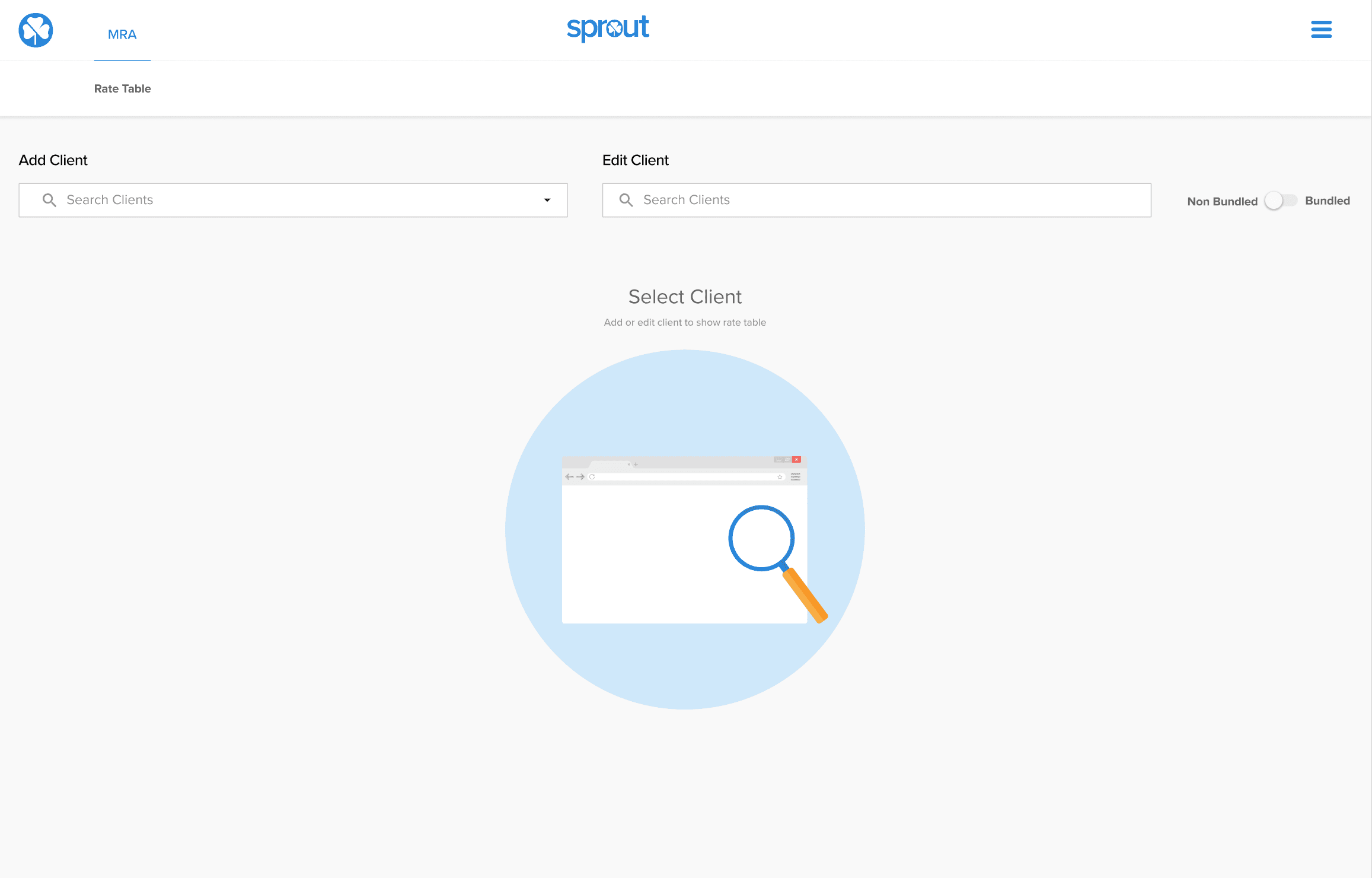
Default state for creating a new rate table, designed to clearly communicate next steps before any data is added.
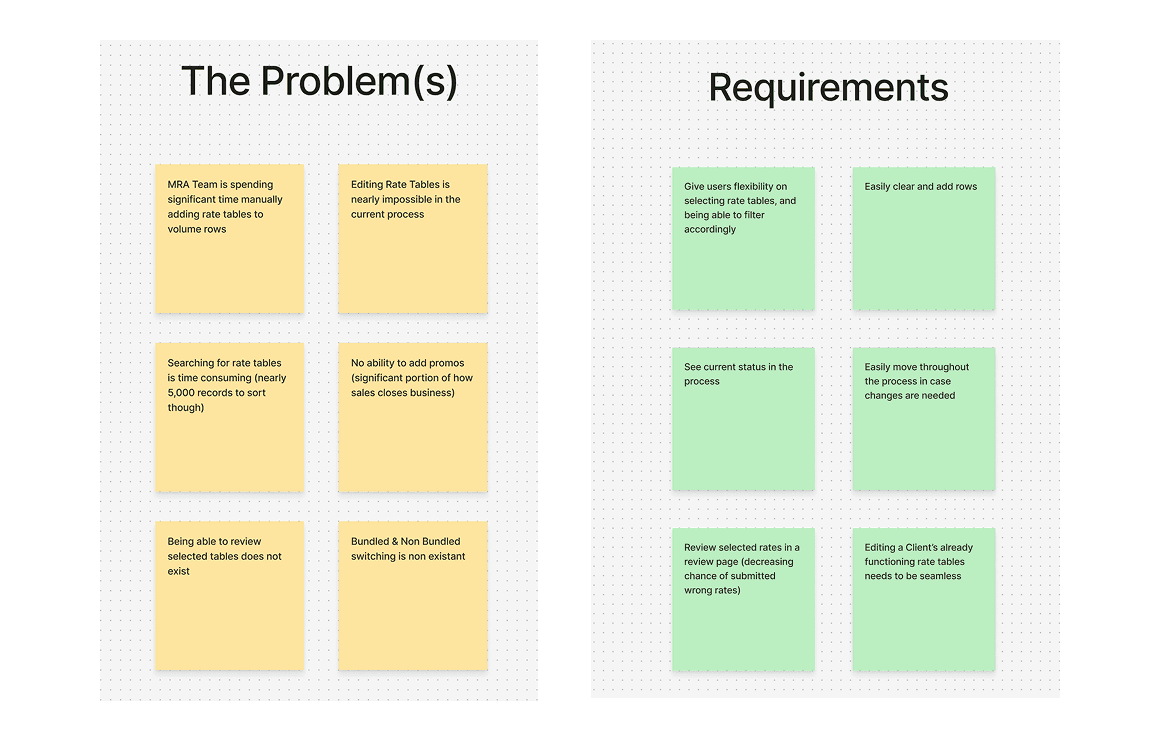
Early synthesis work used to align on key problems, constraints, and functional requirements before design execution.
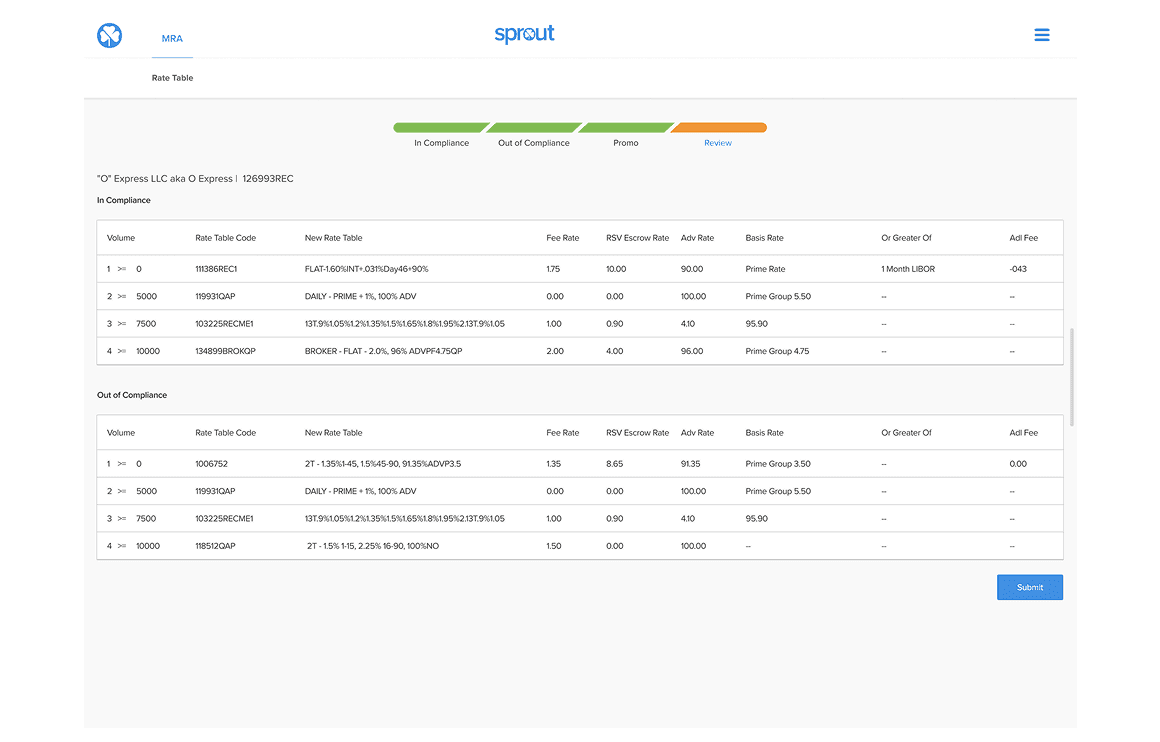
A consolidated review screen allowing users to verify rate details before committing changes.
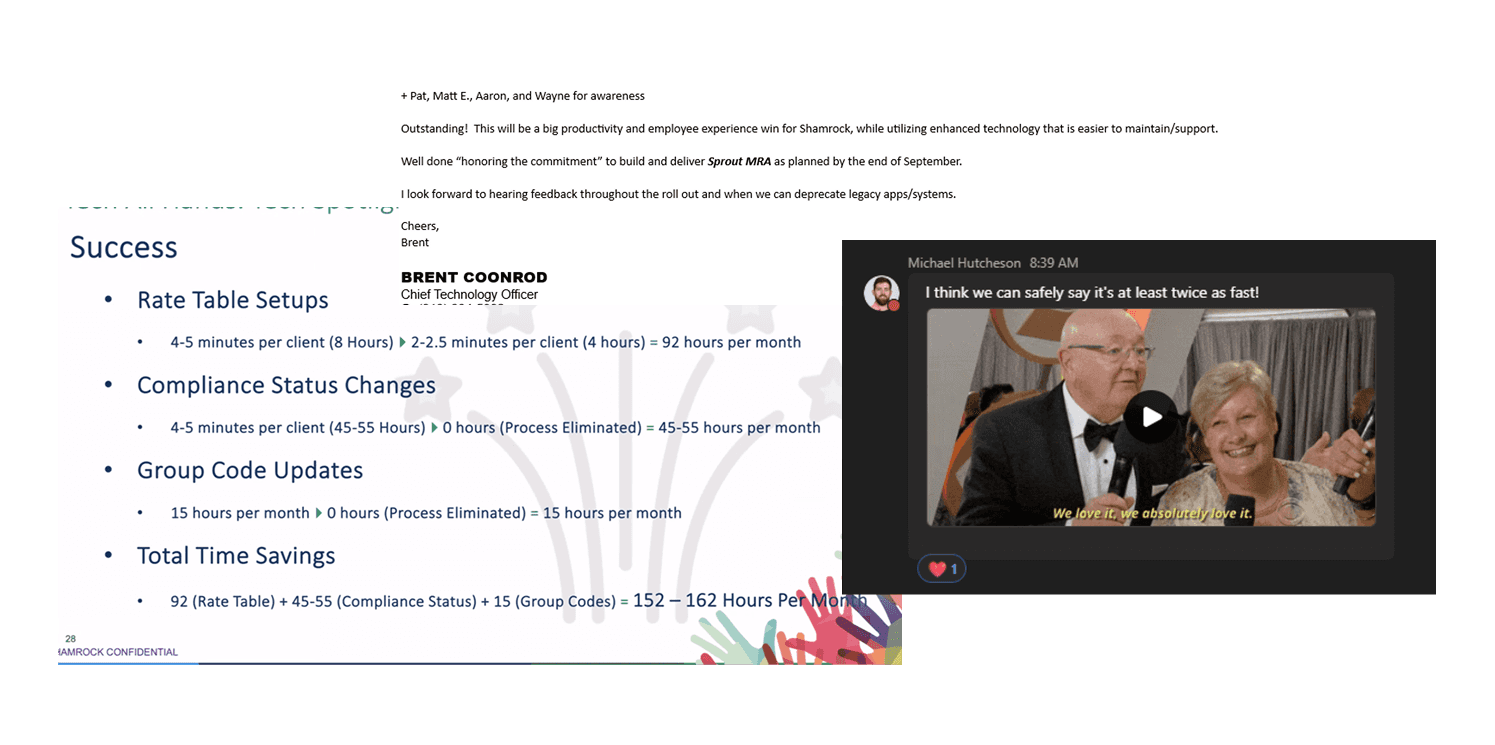
A snapshot of qualitative feedback highlighting efficiency gains, reduced manual effort, and confidence in the new system.